<?xml version="1.0" encoding="utf-8"?>
<?xml-stylesheet href="http://tres-graficos.jp/blog/rss/style.css" type="text/css"?>
<rdf:RDF xmlns="http://purl.org/rss/1.0/"
         xmlns:rdf="http://www.w3.org/1999/02/22-rdf-syntax-ns#"
         xmlns:content="http://purl.org/rss/1.0/modules/content/"
         xmlns:dc="http://purl.org/dc/elements/1.1/"
         xml:lang="en">
<channel rdf:about="http://tres-graficos.jp/blog/rss/1.0.php?id=48">
<title>TG BLOG</title>
<link>http://tres-graficos.jp/blog/index.php</link>
<dc:date>2005-08-15T20:22:01+0900</dc:date>
<description>
TG BLOG - RSS (RDF Site Summary).
</description>
<items>
<rdf:Seq>
<rdf:li rdf:resource="http://tres-graficos.jp/blog/article.php?id=48" />
</rdf:Seq>
</items>
</channel>
<item>
<title>Displacement Test - Arm</title>
<link>http://tres-graficos.jp/blog/article.php?id=48</link>
<dc:date>2005-08-15T20:22:01+0900</dc:date>
<description>Displacementで腕作成のテスト。ローポリゴンモデル（奥）にUVを設定してから、PhotoshopでMapを作成。ついでにTextureも、しょぼしょぼだけど。Subdivisionでメッシュを細かくしてから、Displacemen...</description>
<content:encoded>
<![CDATA[
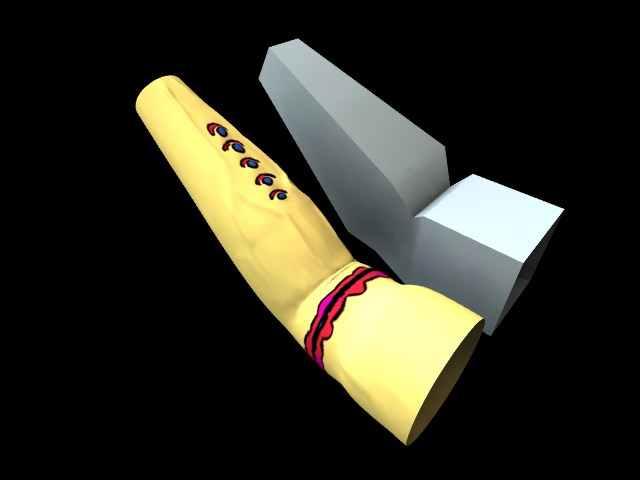
<p>Displacementで腕作成のテスト。ローポリゴンモデル（奥）にUVを設定してから、PhotoshopでMapを作成。ついでにTextureも、しょぼしょぼだけど。Subdivisionでメッシュを細かくしてから、Displacementを適用。有機体の血管とか皺なんかはこの方法で作る方が断然楽ですね。ただ体全体のような複雑なモデルの場合にどうマッピングするかが問題だなぁ、とりあえずは他のソフトを使うしかなさそう。</p>
<p>
<img src="http://tres-graficos.jp/blog/resources/ch_arm_v2.jpg" width="640"  height="480" alt="" />
</p>
<p class="spec">Modeling:Cheetah3D 2.3.2 Rendering:Cheetah3D 2.3.2</p>

]]>
</content:encoded>
</item>

</rdf:RDF>